Thanks to a Black Friday sale, I signed up for a Udemy Machine Learning class. The first few chapters are a Python review. I have used Python on and off but I do want to use it more so I can move from an advanced beginner status. I took the classes and decided to use my blog to expand on the work they had us do in the class.
The chapter on Pandas really focuses on data frames. This blog will take a side by side look at the Pandas data frame commands vs SQL commands. The code below creates and populates a Pandas data frame. This code comes explicitly from the class.

Now there are a couple of ways I could create this in SQL. I could use the SQLAlchemy package to upload the frame into my database. I could save the data frame to a .csv and then upload that into my database. Or I could manually create the table myself.
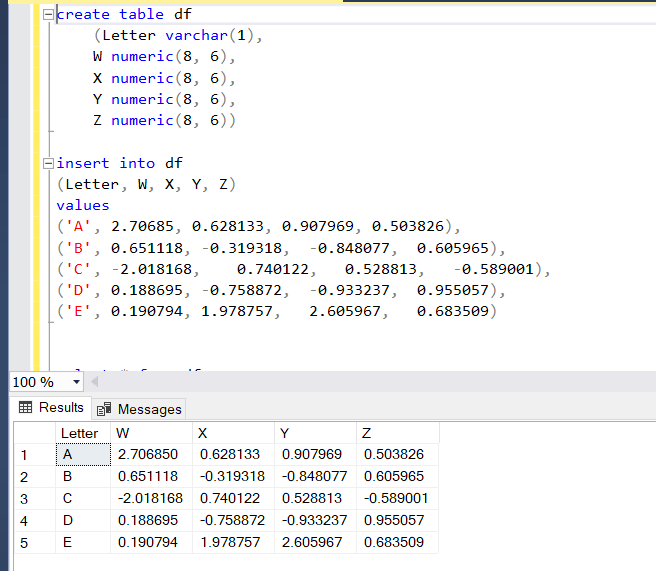
In the Python code, the index doesn’t have an explicit name: it’s just index. An index in SQL is a different type of structure, so to simplify this explanation, I made it a column and called it “Letter”.
Selecting a column is easy in Python. You just call the data frame and the column.
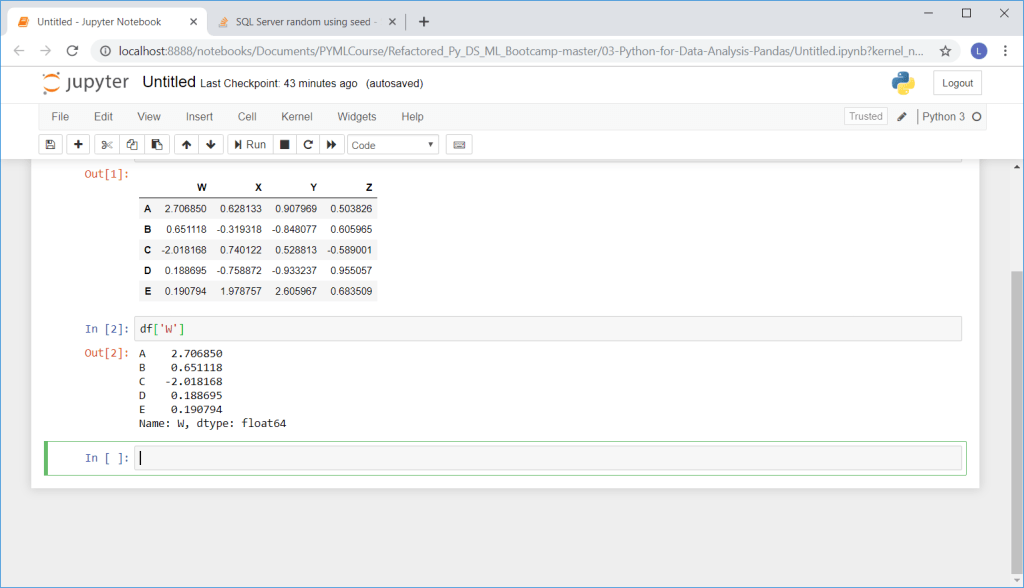
SQL uses the traditional select statement.
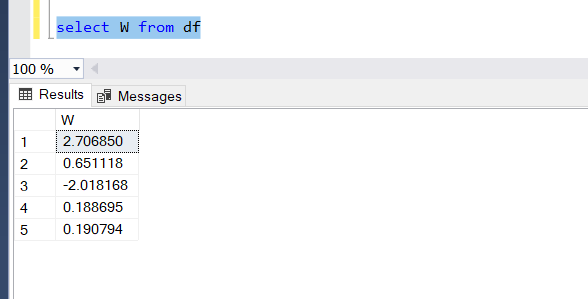
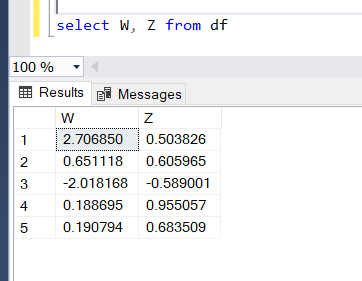
Do you want to get more than 1 column? No problem. Just call both columns and put them in double brackets.

SQL just needs a , (column name) in the select statement and you can have both columns too!
You can easily create a new column in Python by adding 2 columns and giving the new column a name. In the class example, the teacher called it “new”
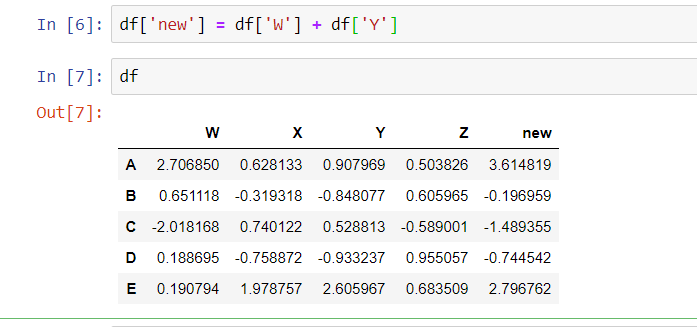
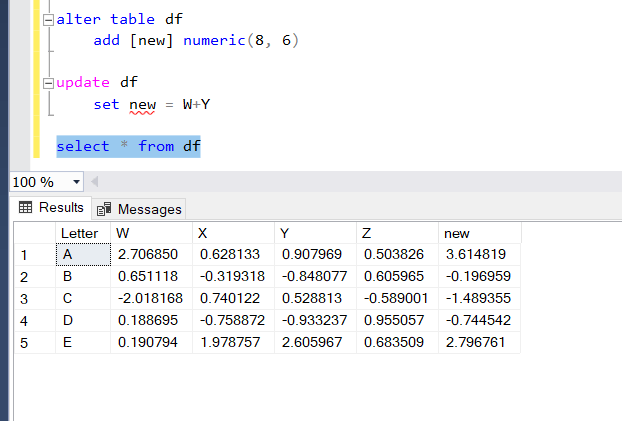
SQL isn’t quite as nimble. You have to alter the table to add a new column and then update the new column.
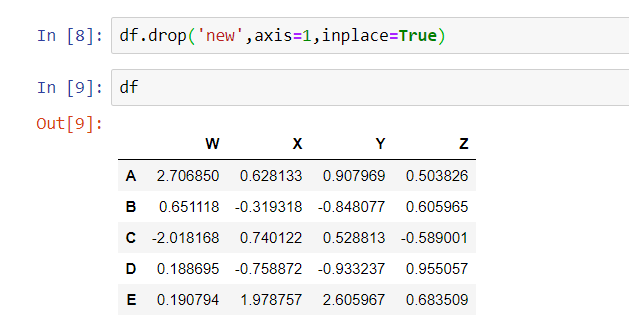
Now if you want to drop that same column, in Python you have to use the inplace=True option to reassure Python that yes, you really do want to eliminate that column forever and ever.
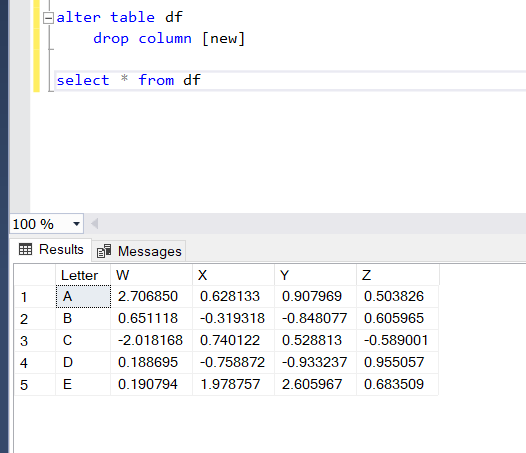
In SQL, you tell the database that you are editing a table and then tell it exactly what you want to edit. In our case, we want to eliminate that pesky new column.
So what if you want to select an entire row of data?
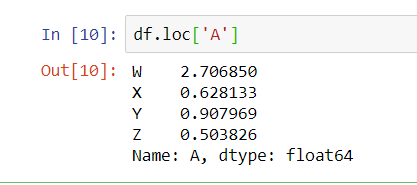
In Python you can tell it which row by using the index. Remember our index is letters. In this case we want everything from the A row. Look at that…it’s a row of data but Python displays it as a column. (PIVOT right?)
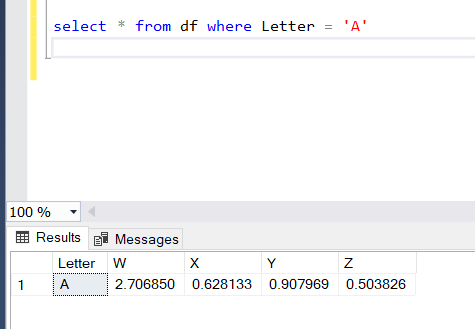
And here’s our trusty Select statement with a where clause to get an entire row of A data.
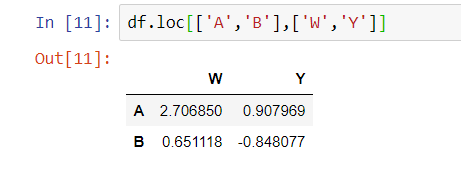
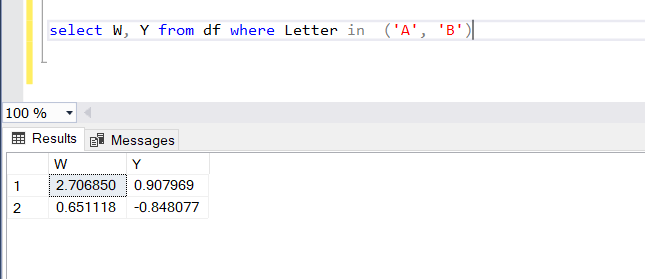
What’s that? You want 2 rows and 2 columns of data? No problem with either Python or SQL.
Simple selects and where clauses are pretty easy right? What about something more advanced? What if we want everything in the table greater than 0?
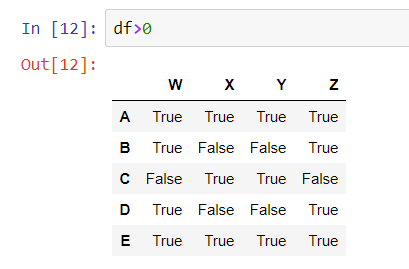
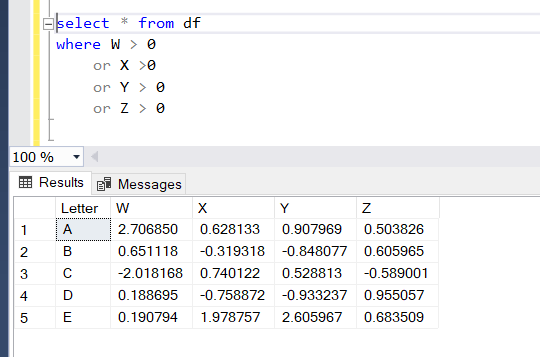
Let’s get a little more complex. Let’s ask for everything in Y and X that is on the same row in W that is over 0
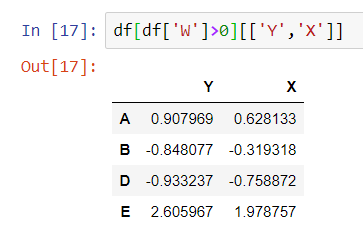
The SQL statement here is pretty easy:

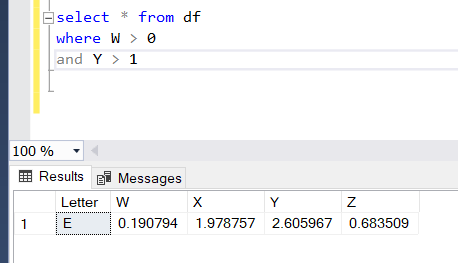
What if we want data where the W column is greater than 0 and the Y column is greater than 1? You can use parenthesis and an ampersand to select that from the data frame.
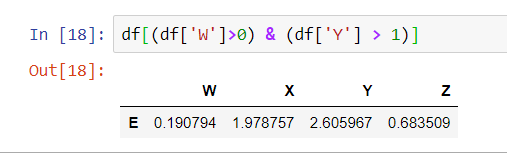
In SQL, you can put those criteria into your where clause (that’s what it’s for.)





 Learning More SQL